
Description
Choose your RM-Primis 8HP control setup
Building an 8HP swap? RM-Primis combines standalone engine management with native ZF 8HP transmission control. It communicates over CAN with the transmission’s original TCU and coordinates engine torque during shifts. You do not need a separate aftermarket transmission controller for a compatible installation.
RM-Primis must also control the engine. This page describes the integration and flashing options; it is not a separate controller box to buy.
Starting a new build
- Choose an RM-Primis ECU. Use the RM-Primis universal wire-in ECU for a custom loom, or find an RM-Primis plug-and-play kit in the RM-Primis ECU range. The Base ECU range does not provide this RM-Primis 8HP integration.
- Confirm your transmission and shifter. Send us the 8HP model, donor vehicle and TCU part number so we can confirm the control and firmware requirements before you order.
- Plan the wiring. Add the 8HP universal wiring harness if required, and check the connections against the diagram for your firmware.
Already own RM-Primis?
Native 8HP control is included with RM-Primis for compatible installations. For Performance Pack, your ECU must also be registered for the package and use the latest ECU firmware and RM-Tuner. Contact us to confirm your ECU registration and TCU compatibility.
8HP Performance Pack: flash the TCU with RM-Primis
With Performance Pack, RM-Primis acts as the TCU flashing tool. It can flash any 8HP TCU through RM-Tuner without a separate bench flashing tool. You do not need to send the TCU away for this installation.
RM-Tuner saves a complete copy of the original TCU before writing the package, guides you through installation and can restore your original backup. Use the correct package for your transmission and follow the connection and power-switching steps in the manual.
The Performance Pack features below apply to the 8HP45 and 8HP70 packages. Flashing capability does not mean that the same package or calibration fits every 8HP variant.
- Adjustable shift points: set upshift and downshift RPM by pedal position, with kickdown, Sport offsets and braking downshifts in the Performance drive mode.
- Gear and mode settings: choose the first and last gear for Drive, Sport and Manual, with manual downshift control and configurable automatic upshift behaviour.
- Transbrake and bump: hold the car for a launch and make small staging movements using the configured buttons, paddles or shifter controls.
- Virtual clutch: use a pedal to control clutch engagement for launches and low-speed manoeuvring.
- Neutral Idle Control: take drive off at a stop so the engine is not pushing against the torque converter.
- Transmission limits: configure the transmission’s rev limit, highest downshift and converter lockup settings through RM-Tuner.
The transbrake, bump, virtual clutch and Neutral Idle Control are available across drive modes once installed and configured; the ECU’s shift-point tables operate in the Performance drive mode. Launch functions are for closed-course use.
Read the Performance Pack installation and feature manual
Transmission and donor compatibility
Standard RM-Primis CAN integration and Performance Pack are different setup options. Confirm the transmission model, donor and TCU part number before choosing firmware.
- 8HP45 and 8HP70: supported applications include native CAN control and the Performance Pack options described above.
- 8HP50 and selected 8HP75: standard integration depends on compatible TCU hardware, firmware and CAN protocol. Confirm your exact unit before ordering; contact us to confirm the available features for these units.
- 8HP90, 8HP95 and other variants: contact us with the TCU part number before planning the installation.
BMW F-Series compatible units are commonly used for direct CAN integration. Other donors, including BMW E-Series/G-Series, Chrysler, Dodge, Jeep, Ram, Jaguar and Land Rover, can have different firmware requirements. Performance Pack provides the RM-Primis flashing route described above; we can confirm the appropriate software for your TCU.
For detailed variant and donor guidance, see the ZF 8HP controller and swap compatibility guide.
Wiring, shifters and installation parts
The original transmission TCU stays in place. RM-Primis supplies the required CAN messages, engine torque coordination, shifter communication and diagnostics through RM-Tuner.
- ZF 8HP universal wiring harness / loom for the transmission connections.
- BMW 8-pin and 10-pin shifter connectors for supported BMW electronic shifters.
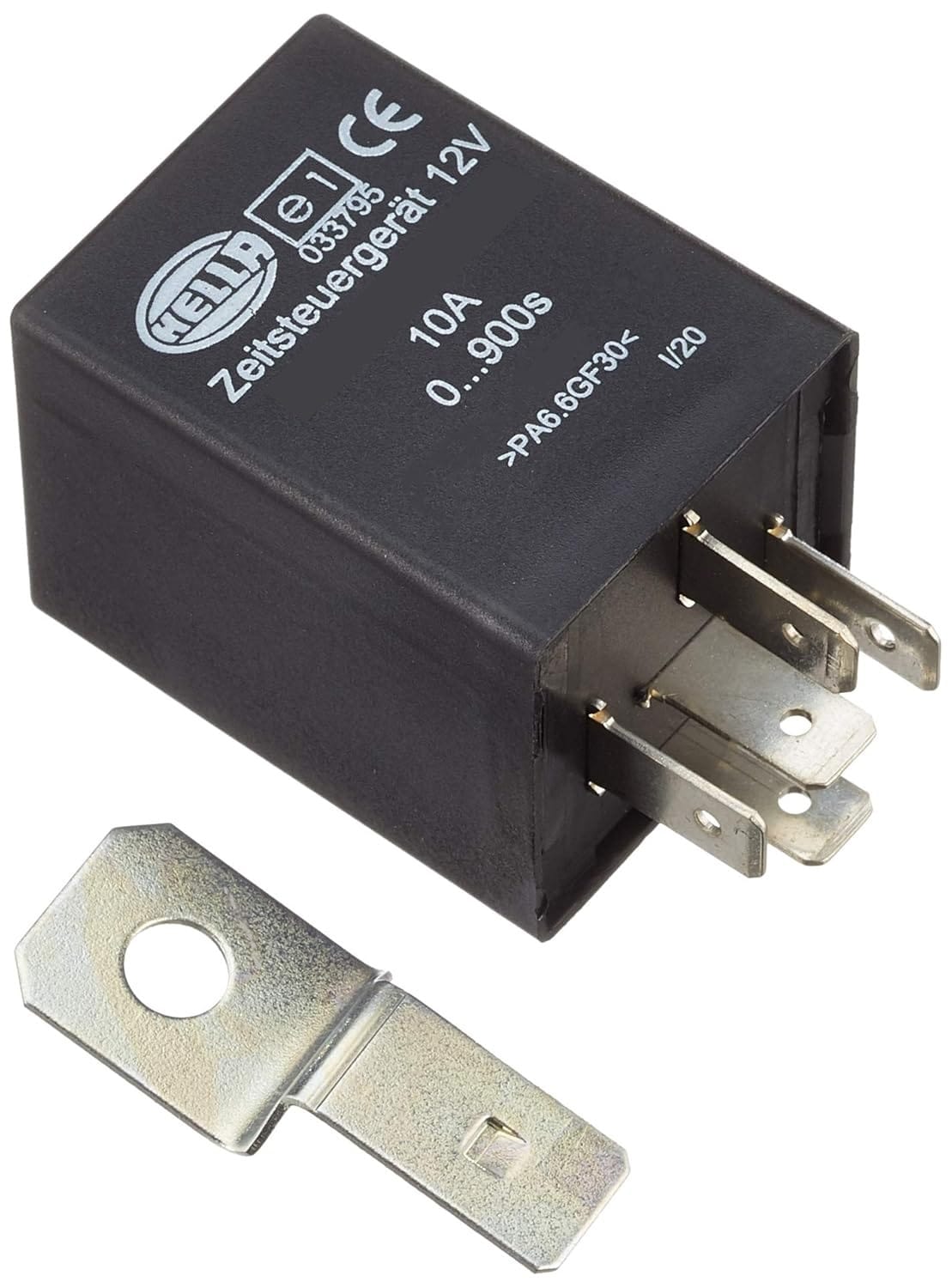
- ZF 8HP timed relay where the standard firmware requires delayed shutdown. Follow the Performance Pack wiring diagram for a Performance Pack installation.
- Round CAN touchscreen display / gear indicator for viewing gear, transmission status and live ECU data from a compatible CAN source.
- All 8HP controller and wiring products.
BMW F-Series electronic shifters support gear selection and manual operation, with paddles where fitted and configured. For another shifter type, contact us with its details before ordering.
Questions before ordering
Can I use this with my existing engine ECU?
This integration requires RM-Primis to run the engine. It is not a standalone TCU that adds 8HP control to any other engine ECU.
Do I need a separate bench flashing tool?
No. With Performance Pack, RM-Primis itself acts as the flashing tool for the 8HP TCU. RM-Tuner handles the backup, package installation and restore process. Check the package for your exact transmission before installation.
Can RM Racing Electronics flash my TCU for me?
We also offer a free TCU flashing service for supported RM-Primis 8HP integrations. Contact us with the part number before sending anything. Where a mail-in service is agreed, send only the TCU electronics, not the complete gearbox.
What details should I send for a compatibility check?
Include your engine and ECU setup, 8HP variant, donor make/model/year, TCU part number or label photo, and the shifter you intend to use. Let us know whether the gearbox is already installed.
View RM-Primis wire-in options
8HP control setup demonstration
Watch the RM-Primis 8HP setup overview below. For the new Performance Pack installation process and current controls, use the Performance Pack manual.